LabWare has connected laboratories to thousands of instruments and enterprise systems, from chromatography data systems to MES and ERP. LabWare Loop extends that reach to any instrument, legacy or modern, without custom integration work.

Close the gap between your instruments and LabWare LIMS
Operations creates the sampling plan, LabWare turns it into worklists, and instruments produce the data. Today, manual steps or custom per-instrument integrations connect the three. Manual processes leave operations exposed to data integrity gaps, and every custom integration adds IT overhead and another network endpoint to patch.
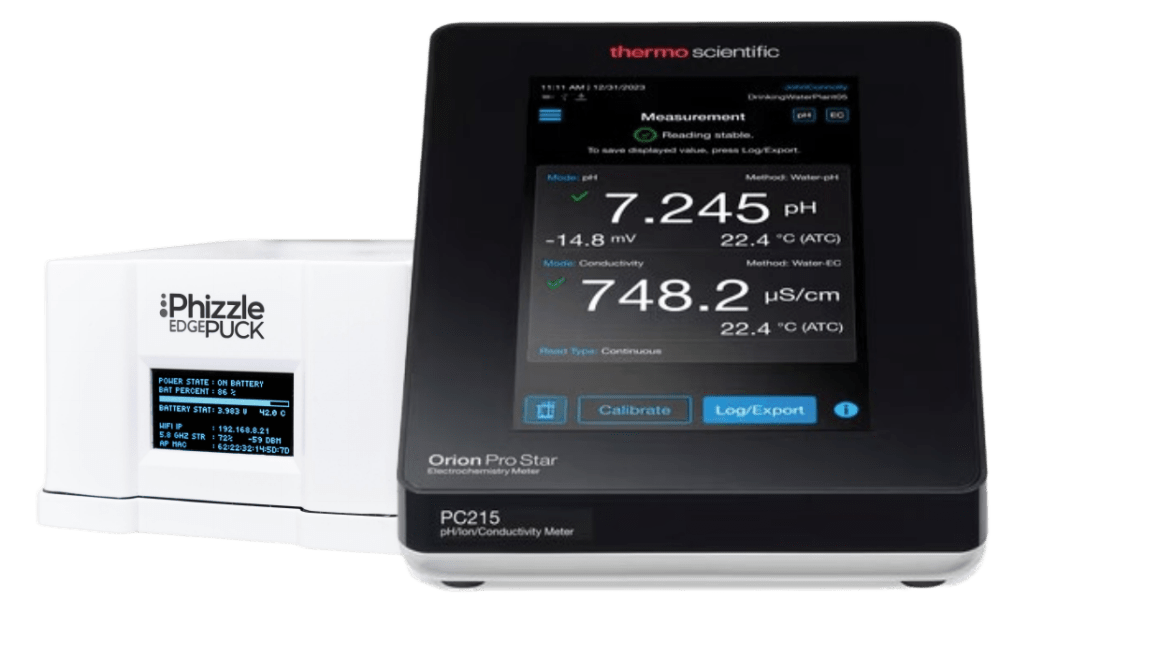
LabWare Loop, Powered by Phizzle, replaces both with one direct connection between your instruments and LabWare LIMS. Tests run from the worklist and results land in the sample result record, with no manual transfers for your lab and traceable data with full context for QA. One standard integration replaces custom per-instrument work, and instruments stay isolated from the network with the Phizzle Edge Puck™, so your IT team has no custom scripts to maintain and no new endpoints to patch.
Off-the-network architecture
Integrating scientific instruments into regulated workflows has historically forced a trade-off between IT security and operational efficiency. With LabWare Loop, regulated manufacturers and laboratories can digitize the full sampling lifecycle without exposing benchtop instruments to network threats.

How LabWare Loop works
-
Run the test
The operator runs one or more tests from the LabWare LIMS worklist.
-
Capture the data
The Phizzle Edge Puck™ captures the instrument’s data file along with instrument-generated metadata.
-
Route it securely
Phizzle Connected Plant™ routes the file to LabWare LIMS with auditable lineage and chain of custody.
-
Populate the record
Results automatically populate the LabWare LIMS sample result record.